Building a more vibrant online educational community
Timeline: 3 Month Contract
Role: Product Designer
Team: 4 Designers, 1 PM, 1 Product Marketing Manager
The Problem
In response to the coronavirus outbreak, US institutions switched classes to online learning, resulting in greater social isolation and other unexpected challenges. Online learning has lowered student motivation, engagement, and achievement. Miro needed to leverage its collaboration tools to create a more social and inclusive educational community. I led research and collaborated on designs to help students feel more connected.

GOAL + SOLUTION
How might we help students feel more connected, engaged, and safe while learning online?
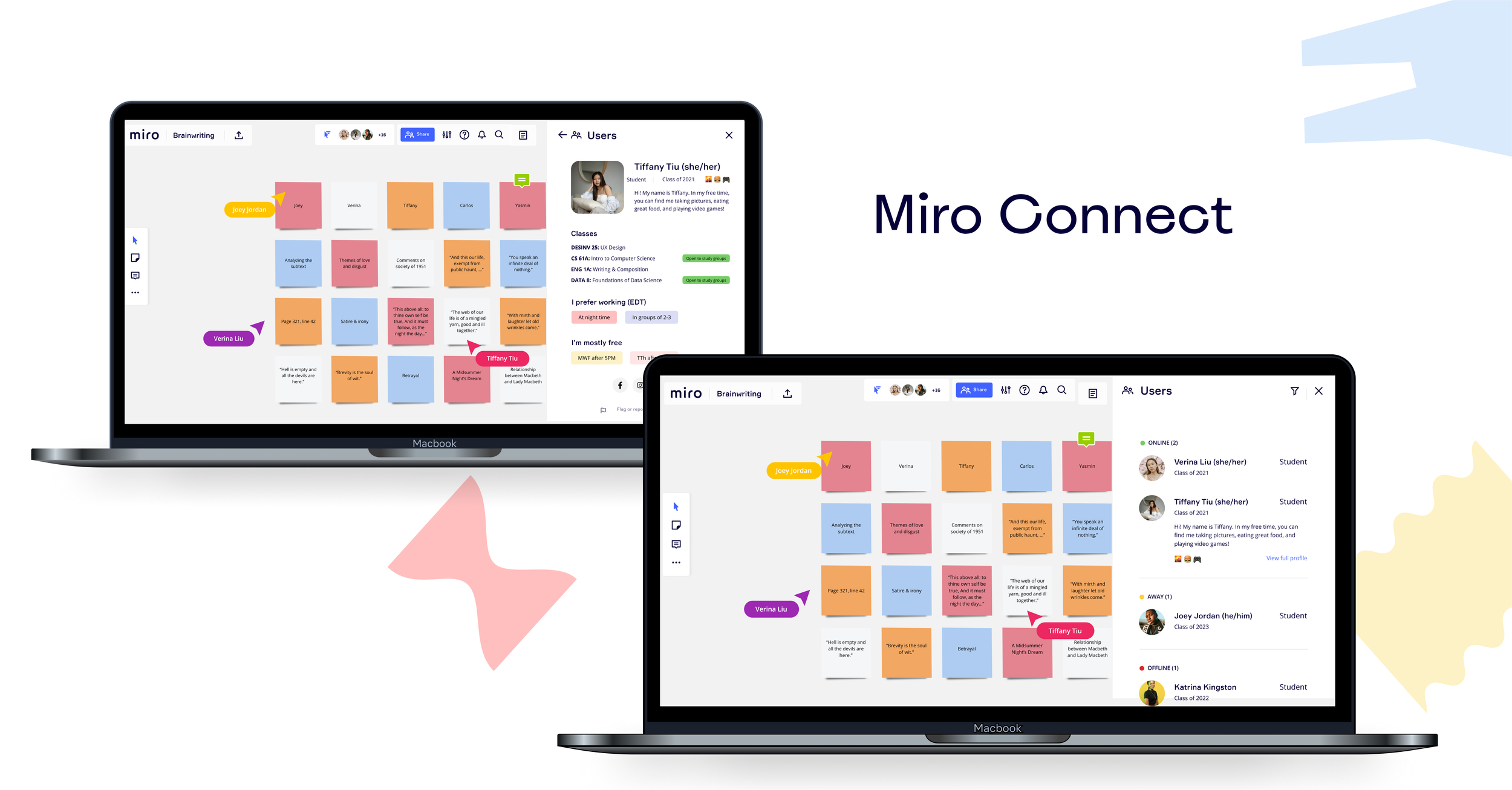
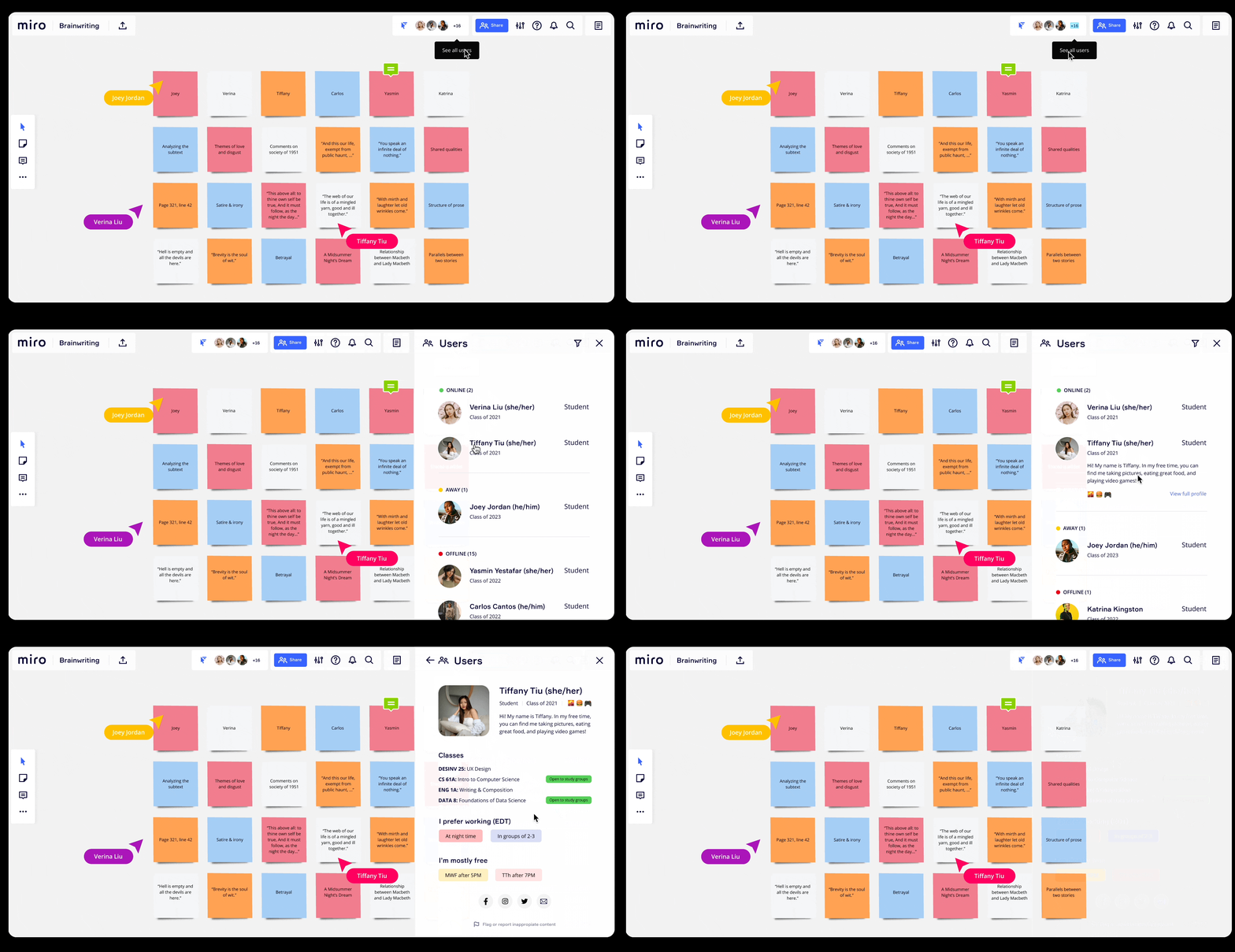
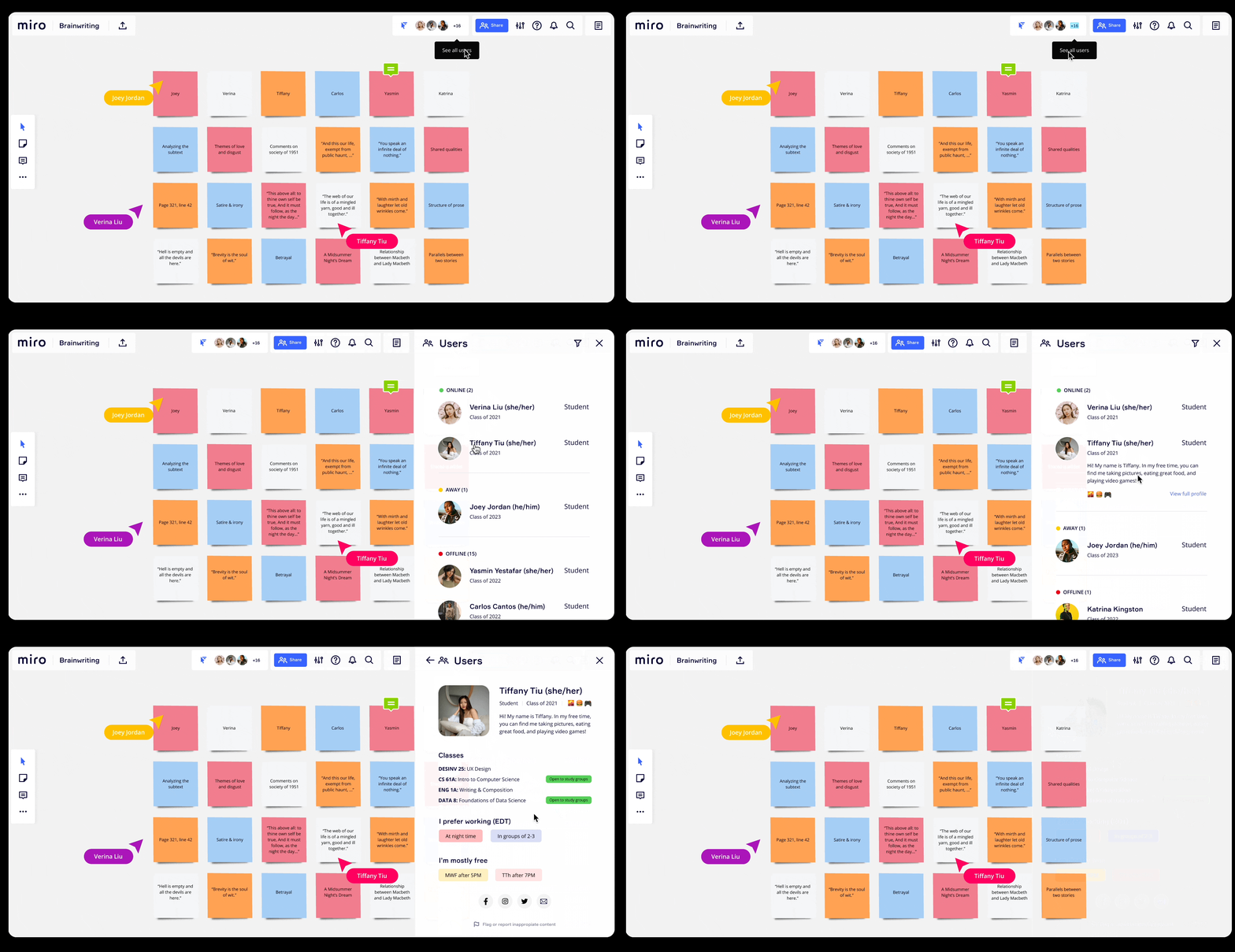
Miro Connect focuses on fostering deeper relationships between students and educators by introducing collapsible profile screens that enable collaborators to learn more about each other. This integration into Miro’s collaboration whiteboard allows people to view personal statements, interests, and hobbies, helping them meet virtually.
Finding study groups at ease
FEATURE 2
FEATURE 1
Viewing student profiles synchrously
Research
In order to gain a better understanding of how remote learning has changed during the pandemic, I conducted secondary research including a competitive analysis of whiteboarding platforms that allow students to share ideas and journal articles dissecting mental health during the pandemic and types of existing online learning.
We synthesized our research using affinity maps, journey mapping, and personas.
1. Secondary Research
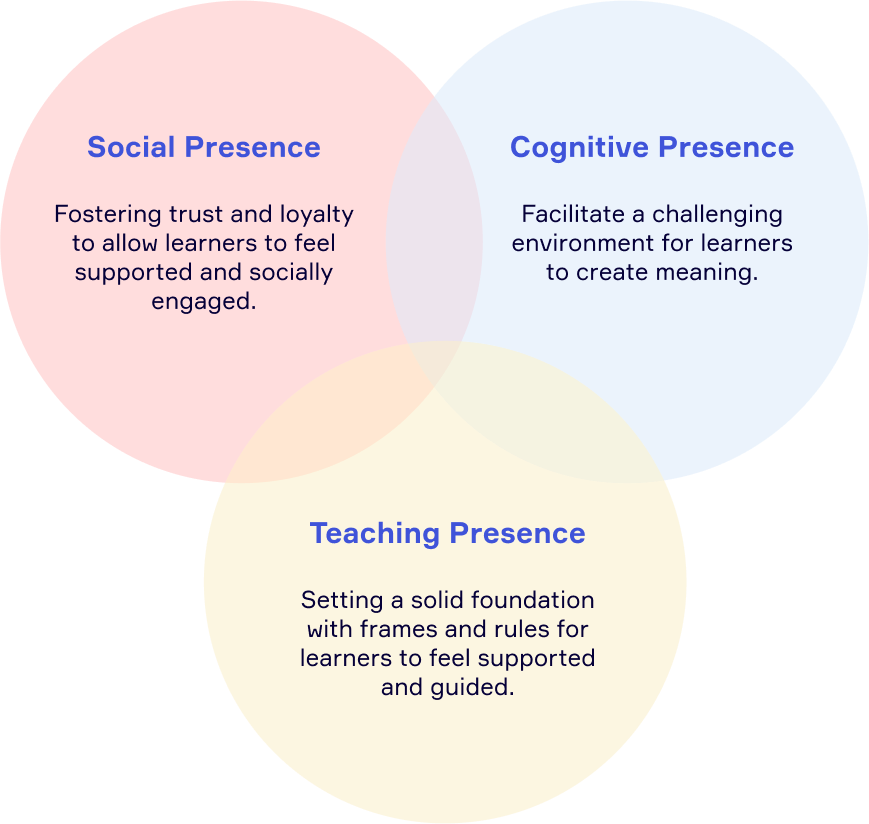
Three aspects of online learning environments contribute to a successful experience. These include fostering a social, cognitive, and teaching presence that allow students to feel engaged and supported as they create their own goals.
RESEARCH
2. Surveys
In a survey distributed to 170+ students,
In a classroom setting, students ranked respect and accommodation, effective communication, and interaction with others as 'extremely valuable’.
In an online education platform, 72% of students stated that having an intuitive interface that is easy to use influences their decision to use it.
RESEARCH
3. Interviews
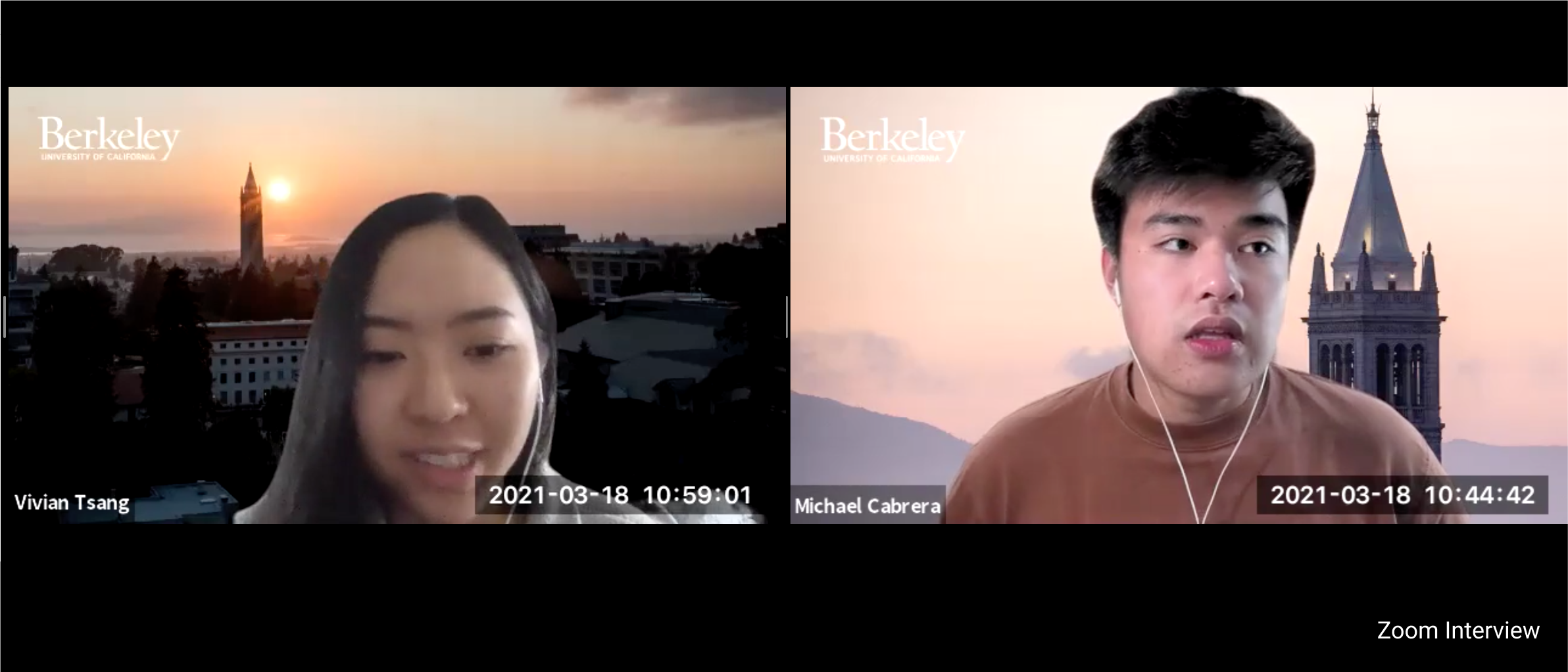
My team conducted 18 moderated interviews (11 students, 7 educators) for 30 minutes about how they collaborate remotely, qualities of their favorite and least favorite classes, what aspects of a classroom they value, and the use of online platforms to facilitate their learning.
RESEARCH
Key Insights
Psychological safety: Environments that encourage safe discussions and different viewpoints lead to more successful and productive outcomes.
Importance of feedback and communication: Continuous feedback between students and educators helps educators pinpoints areas of growth and leads to more productive communication.
Seeking community and interpersonal relationships: Students value forming social bonds with their classmates. Meeting new people online is challenging compared to maintaining existing relationships.
SYNTHESIS
Journey Maps
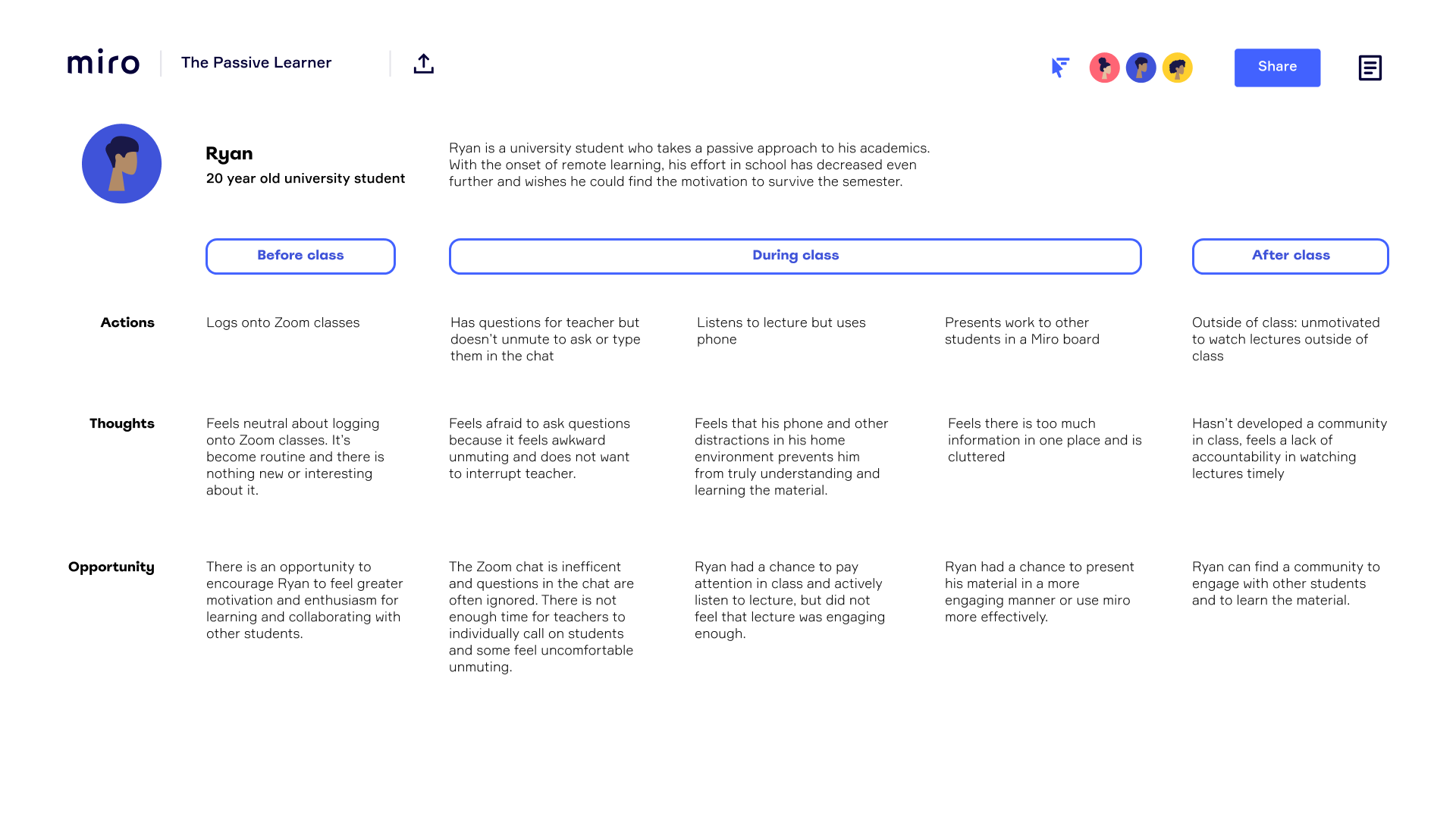
To further empathize with how students were feeling, we mapped out the day of a typical college student attending remote classes online. We learned that this process can feel incredibly isolating as most students spend the majority of their time with their zoom cameras off, with hardly any social interaction with their teacher or other classmates.
THE GOAL
Foster psychological safety, engagement, and curiosity among students in hybrid and online learning environments
IDEATION
Finding a solution
After gathering all the necessary research, we began ideating a variety of solutions to address our goal of helping students feel safer and connected to their peers while learning online.
We came up with a variety of solutions including an (1) anonymous question-answer board that allowed students to submit questions in an organized location, (2) a classroom organization tool integrated within Miro, (3) emojis for students to voice their emotions, as well as a (4) profile setting for students to learn about each other.
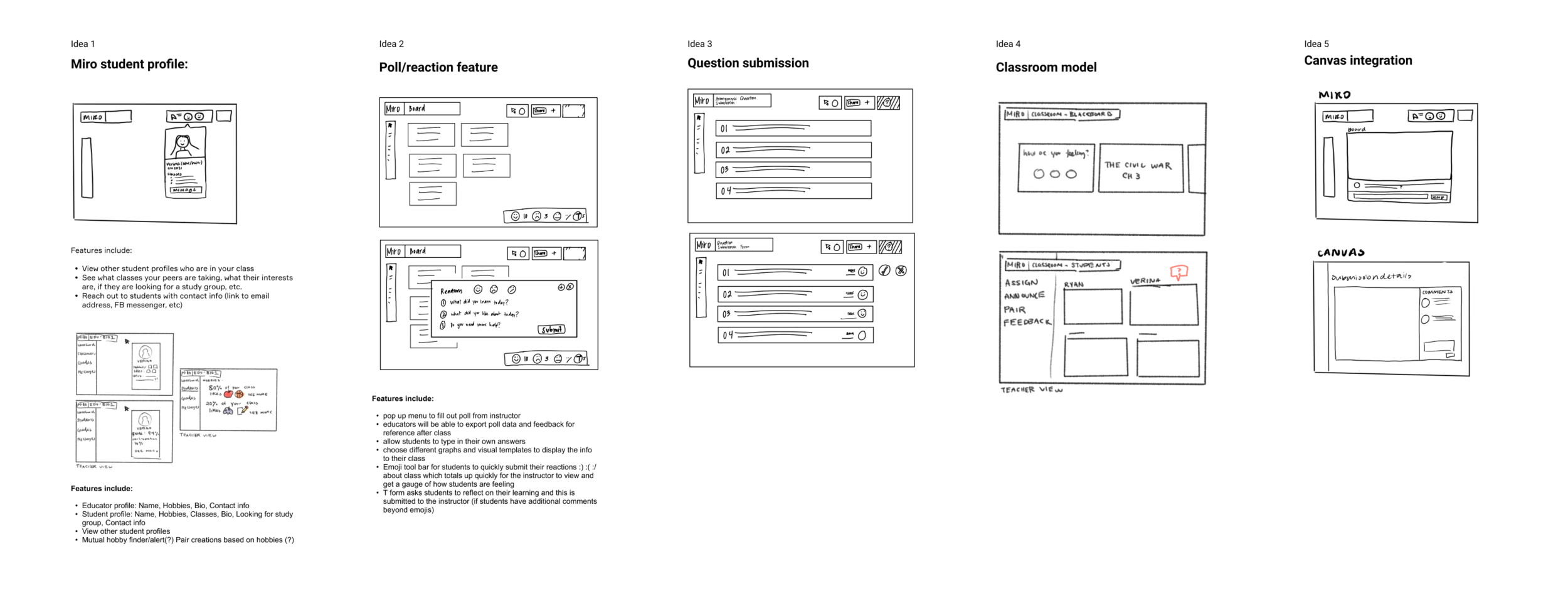
To converge on a solution, we listed the pros and cons for each potential solution and related it back to how it might help our users. We also worked with our PM to identify potential limitations and constraints and limited the scope to Miro Profiles, which aligned most closely with Miro’s business and user goals and was most feasible for them.
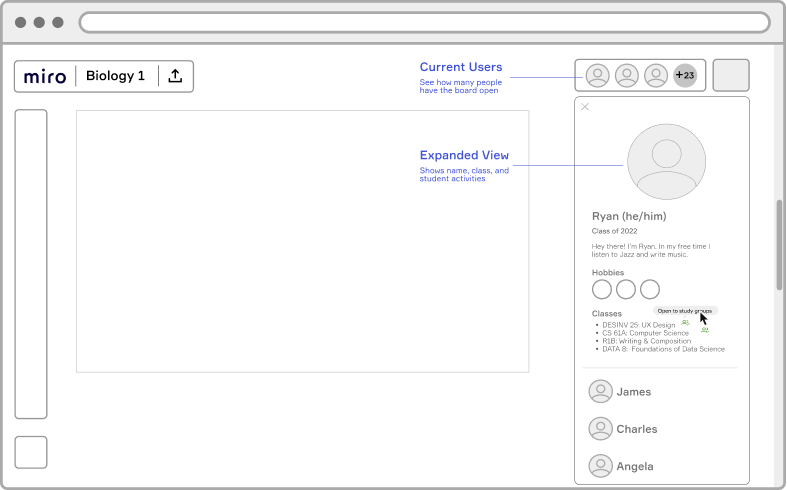
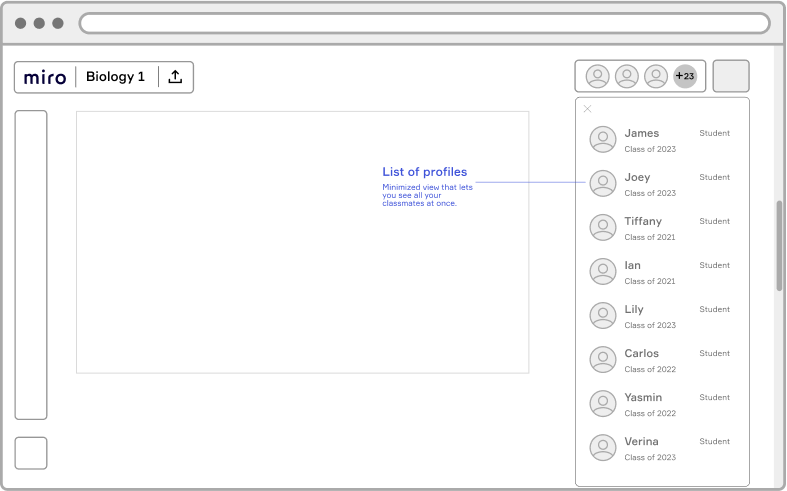
Sample wireframes of the product
I created wireframes with different layouts prior to prototyping high-fidelity designs. Because Miro had an existing design system, I was able to work with their libraries and components in order to create designs that were consistent with their brand.
IDEATION
Mapping the user journey
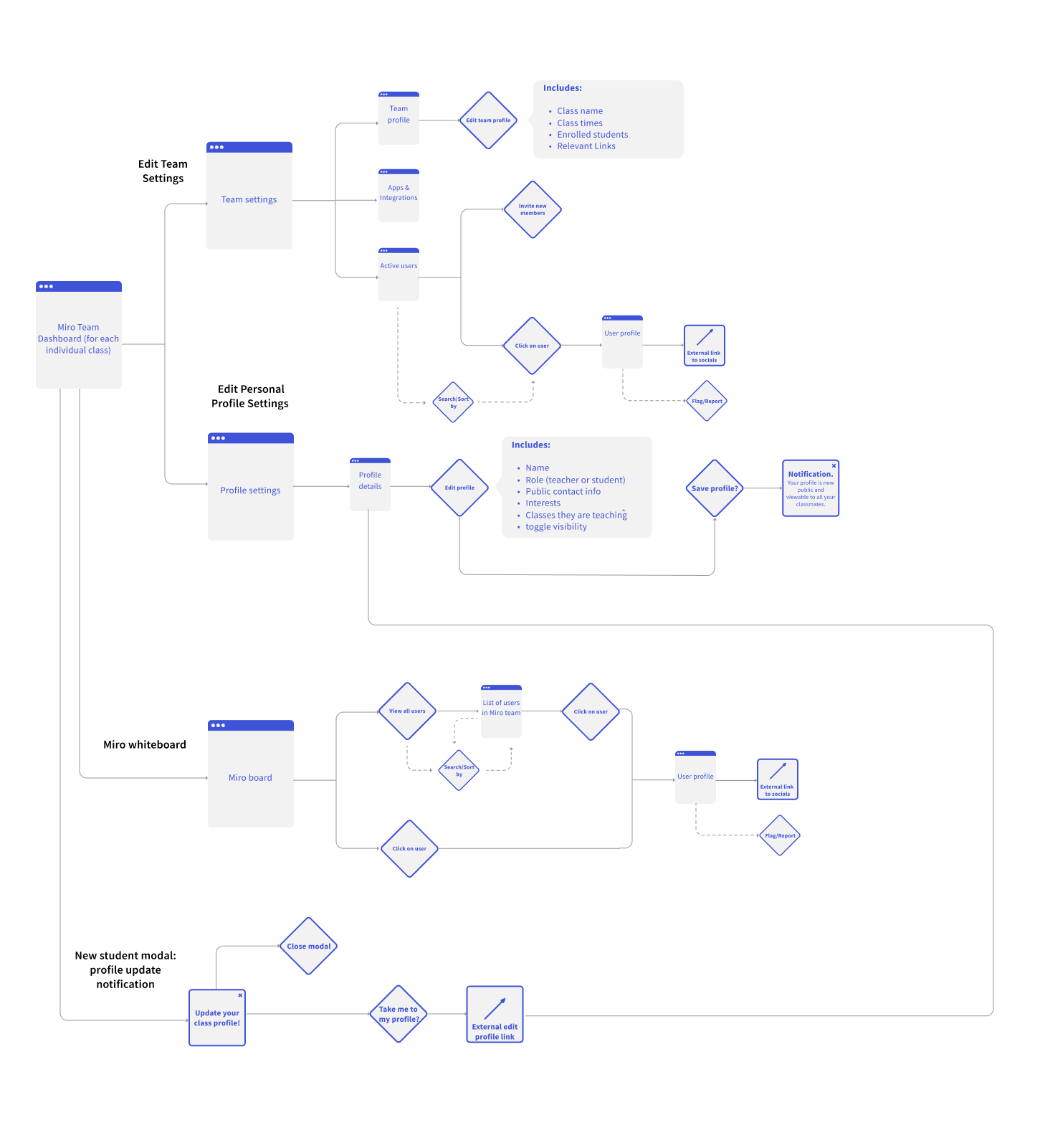
To understand how to integrate our designs into Miro’s existing site and design system, we created a user flow map that showed how students can interact with Miro profiles. Creating this map prior to designing helped us identify and prioritize the most important screens to build.
TESTING
Testing and iterating on our designs
After completing the initial designs, I conducted user testing remotely to see how new and old Miro users would interact with the new feature. I began by setting the context of them using Miro as a student and asked them to provide their honest opinion of the app. Real time collaboration has so many complex layers, thus having a clean information hierarchy is important. Here are several challenges which led me to iterate on the design.
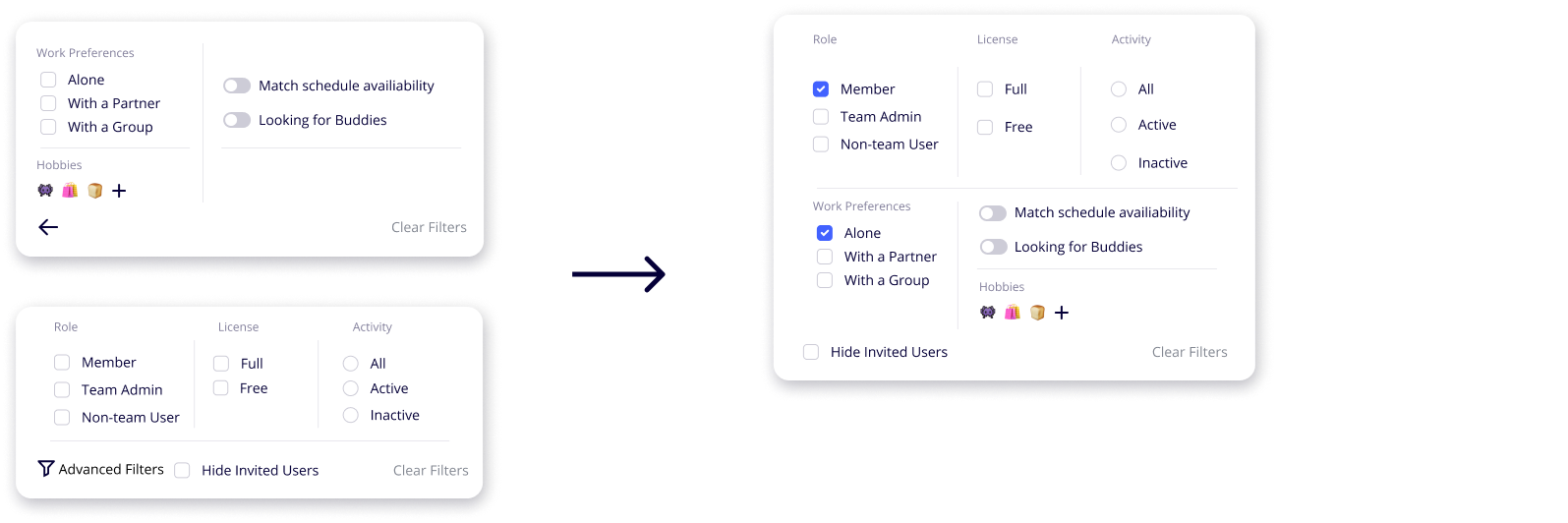
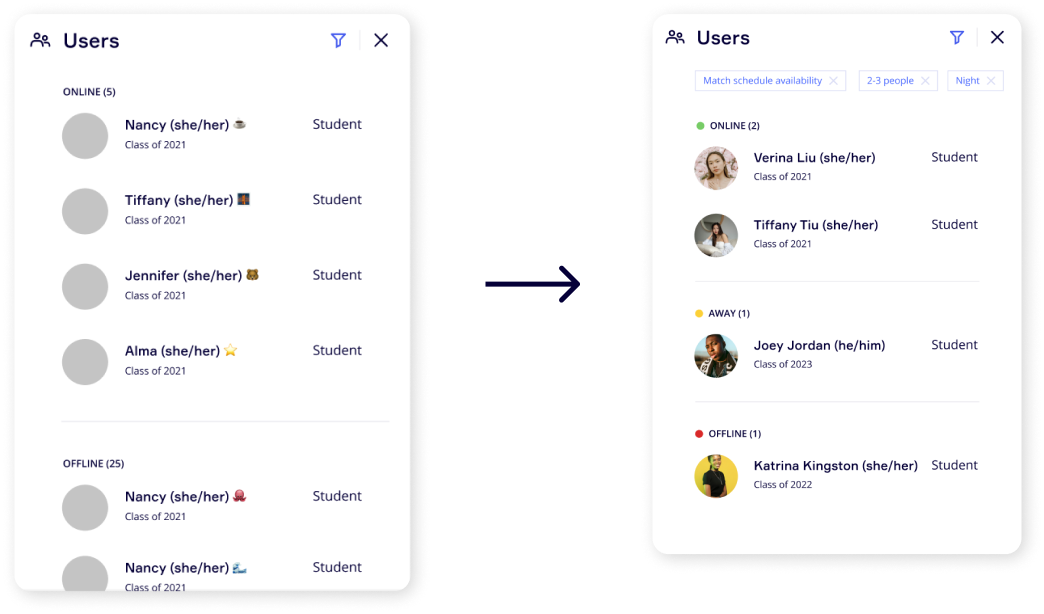
CHALLENGE 1: FILTERS
Students found it hard to use the filter menu which was separated into an advanced settings menu. However, our users preferred to view all the information in one place by scrolling through the menu rather than viewing the content on two separate pages.
CHALLENGE 2: AVAILABILITY
Students voiced difficulties seeing which of their classmates are online or offline and these two states were not communicating enough. Thus, we added little circles next to each student’s profile to represent if they were online, away (inactive), or offline.
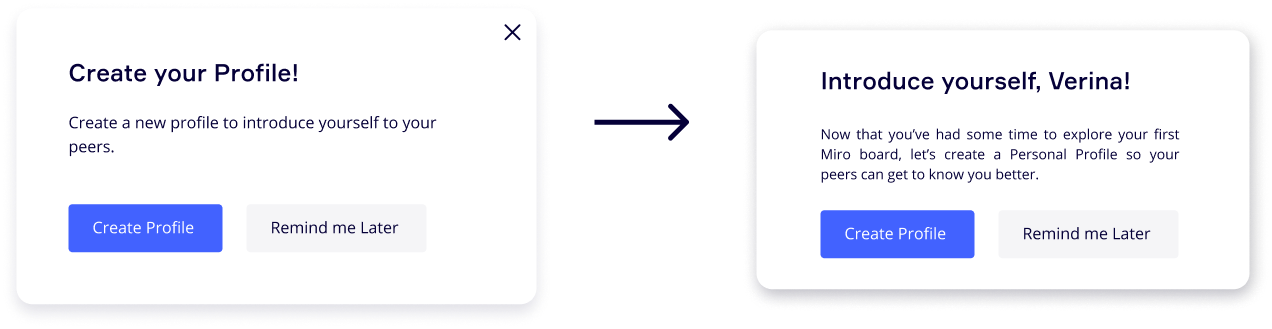
CHALLENGE 3: UX LANGUAGE
Users were still unclear about the purpose of updating their profiles. Refining the ux language and copy to be more friendly and intuitive. We changed the initial introduction to be more descriptive and encourage new users to update their profile settings which would allow them to find study buddies and meet new people.
FINAL DESIGNS
Miro Connect Profiles to foster growth, connection, and engagement
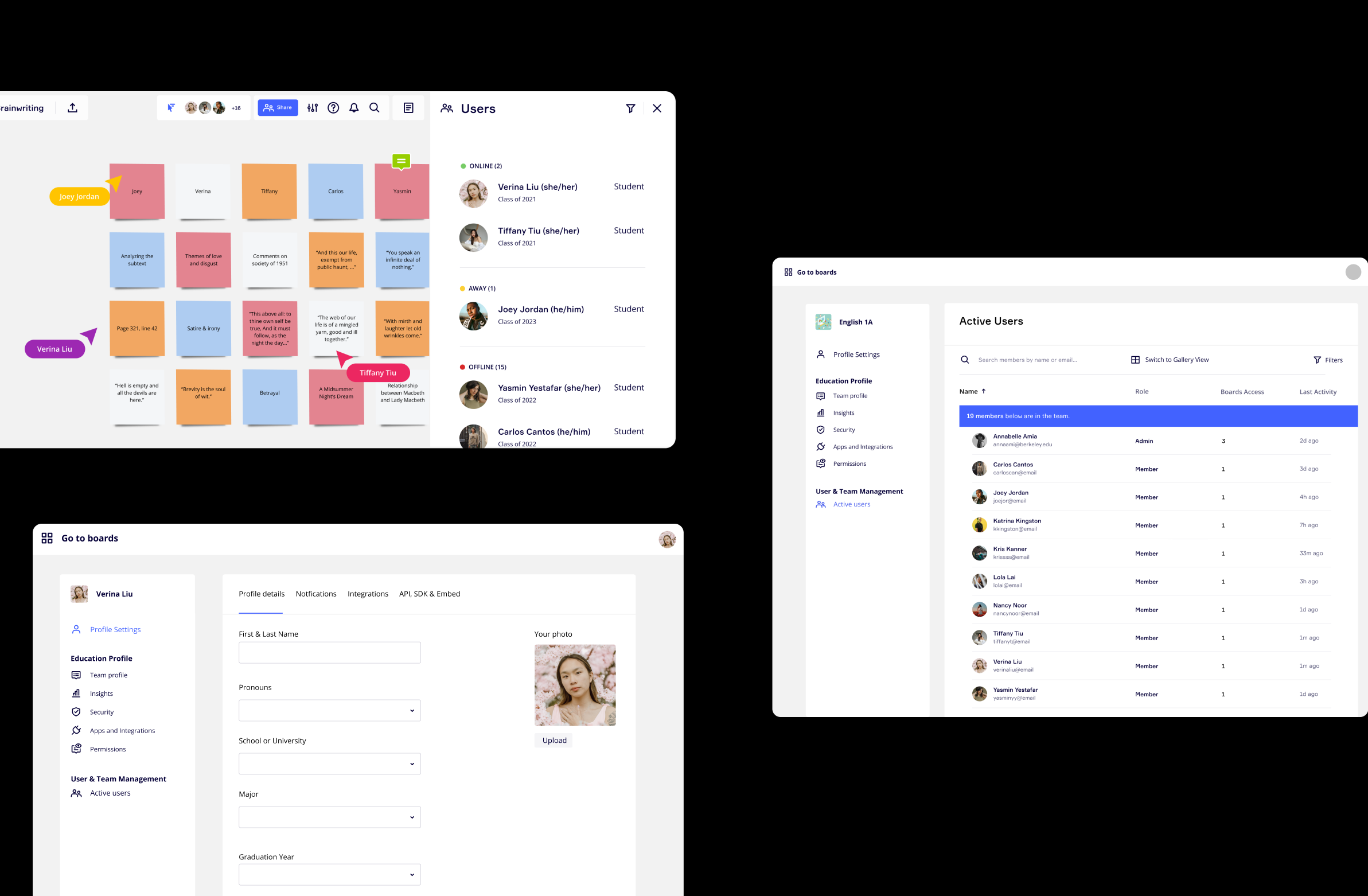
FEATURE 1
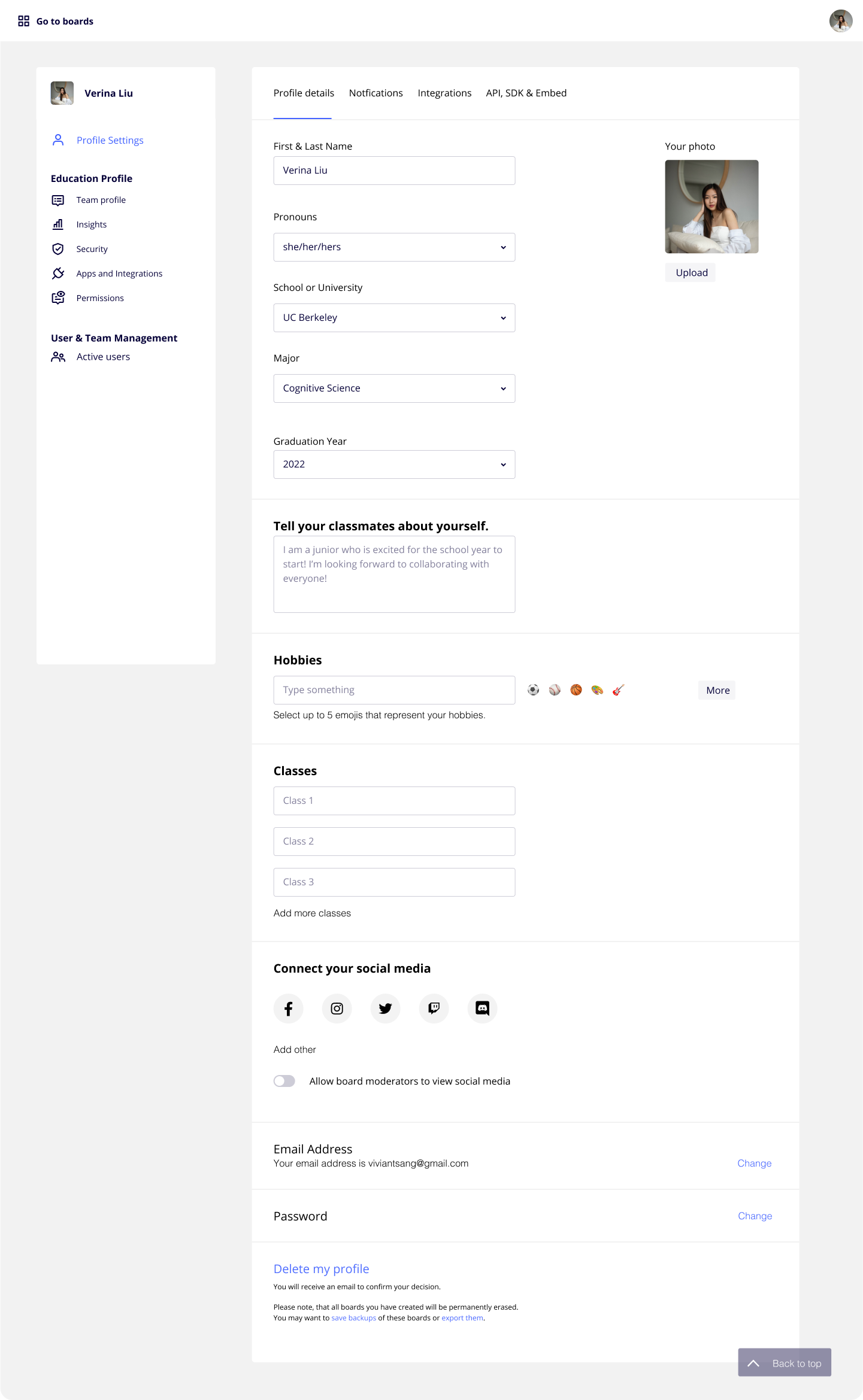
Simple integrated fillable forms
Encourage students to leverage Miro more broadly by offering students a simple way to fill out their profile information from the home screen. Help foster psychological safety, community, and customizability by allowing students to pick and chose the information they would like to share.
Feature 2
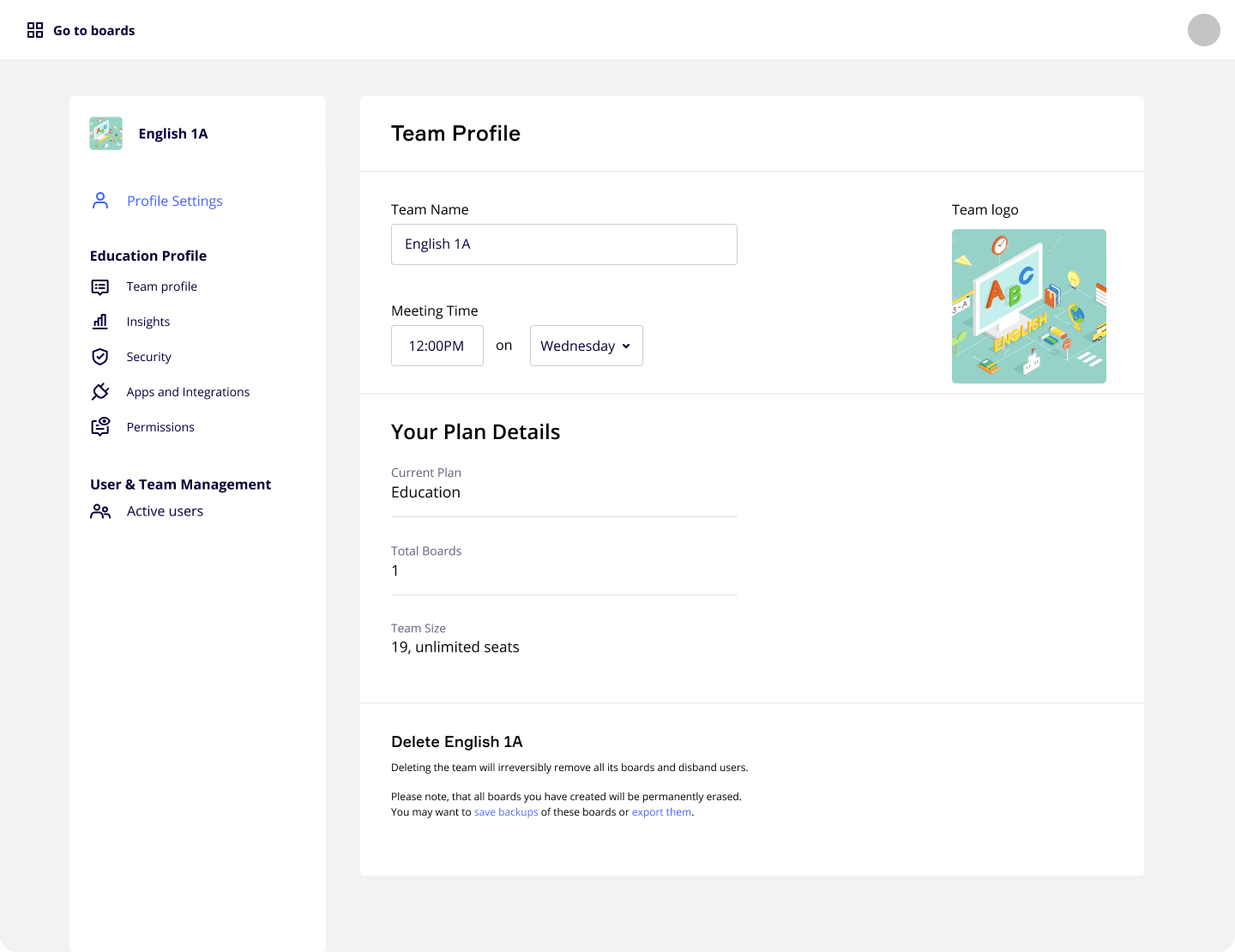
Team profiles for organizing classes
Team profiles displaying information about class meeting times, plan details, and relevance will be useful for both educators and students aiming to organize their classes on Miro.
FEATURE 3
View student profiles directly on the board
The Miro Board view offers options for students to flag and report profiles in cases when students feel unsafe or upset by the content posted online.
FEATURE 4
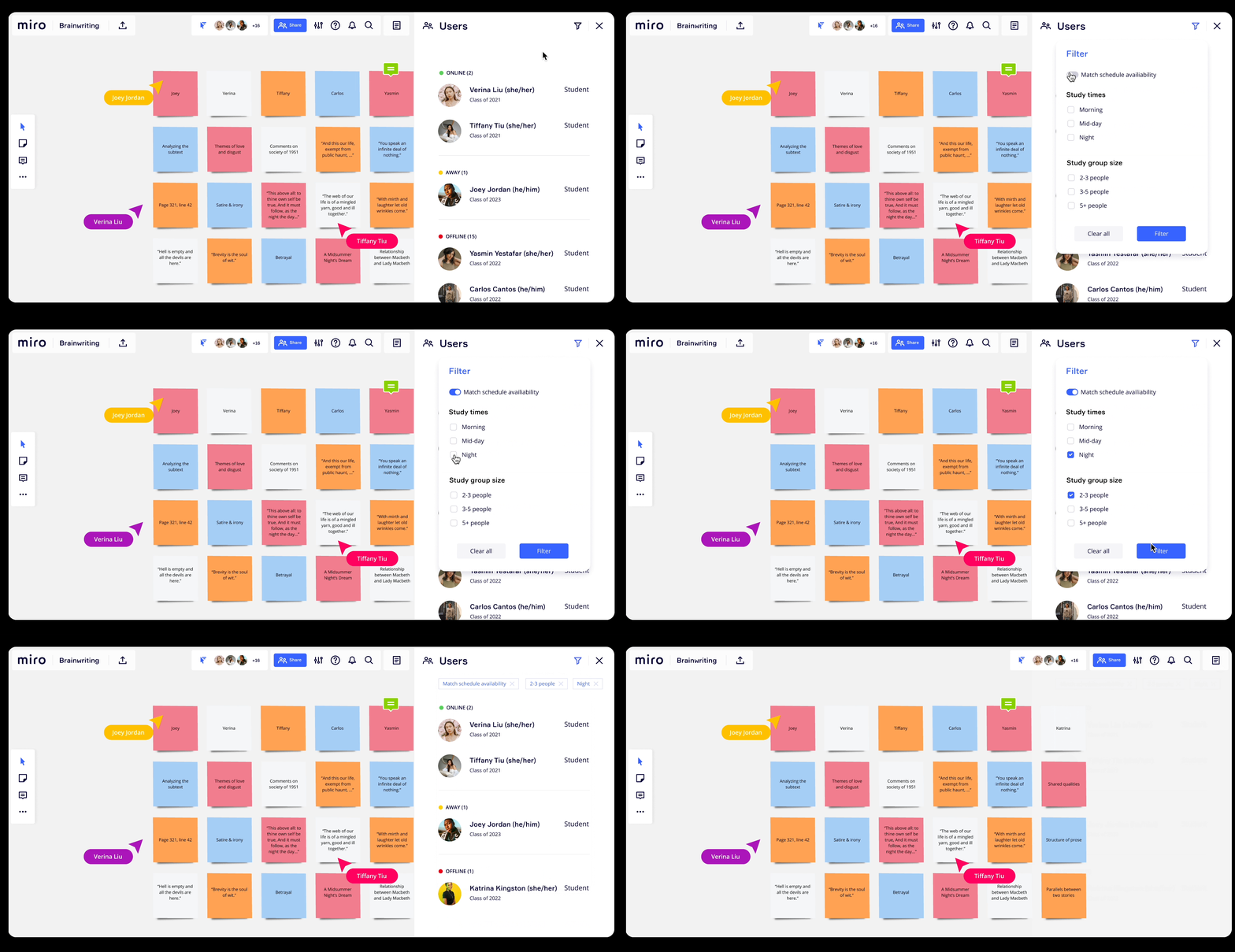
Schedule study dates with your classmates
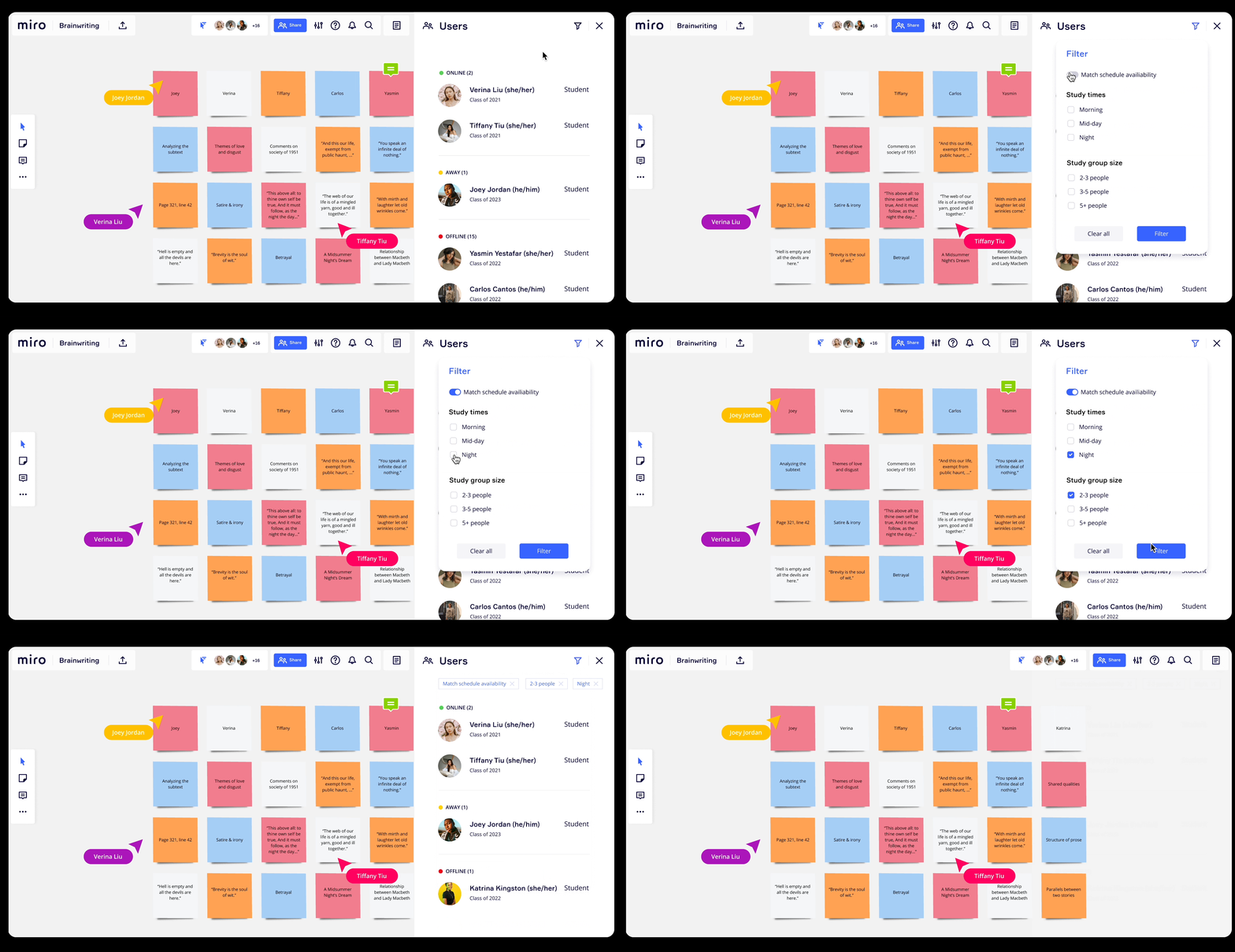
User filters that allow students to match schedule availability, view hobby and work preferences, as well as search for study buddies in their matching classes.
OUTCOMES
How will we measure success?
Our goal is to help students connect while being in an online environment that can make it difficult to start conversations. While this project was not shipped during my time at Miro, the success of this project can be measured by the following points:
Enable students to form study groups
Increase in 30% student engagement on Zoom through questions or chat
Increase in average time spent collaborating on a Miro board
Increase in the number of partnerships with universities and Miro
Number of clicks or impressions on student profiles and social links
PERSONAL REFLECTION
Thank you for reading!
It was an invaluable experience working with Miro’s design system and UI libraries to create new designs to improve the remote online learning experience. There were many opportunities to leverage creative thinking to design new tools and features that could improve Miro. However, because Miro had a fairly established brand and visual identity already, this project forced me to work within those constraints in a meaningful manner.
During this project, I learned to ask questions that reflect the needs of our users and continually be user-centric to push the direction of our project forward. I also learned the importance of using user feedback to guide the iteration of our final designs and figure out how to make our designs more accessible and easier for our users to digest.